Live TV transcription: Turn news channels into text as they air
Author: Mert S. Kaplan · Last updated: November 8, 2026
Live TV transcription means writing down what is said on a news channel while you watch it. In LiveType you pick the channel from a ready list or paste the stream’s m3u8 link, and the text forms as people speak. The audio is processed on your device and nothing is recorded, so you have the exact words during the broadcast rather than relying on memory.
The channel list
Under New transcript, press Pick from list. You can search channels by name, and the one you pick fills in the address for you. The list is mainly news and general channels from Turkey, with some in English.
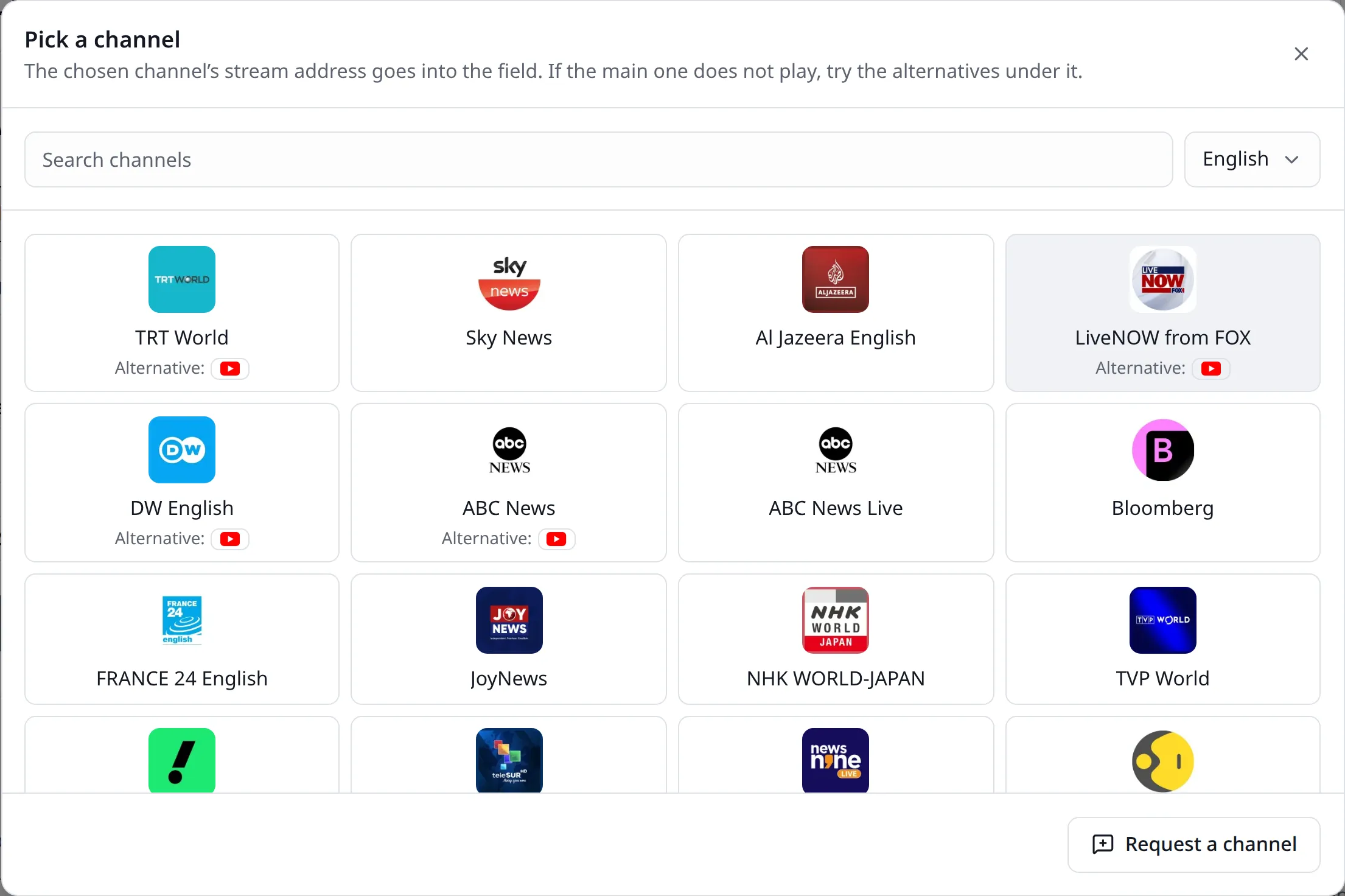
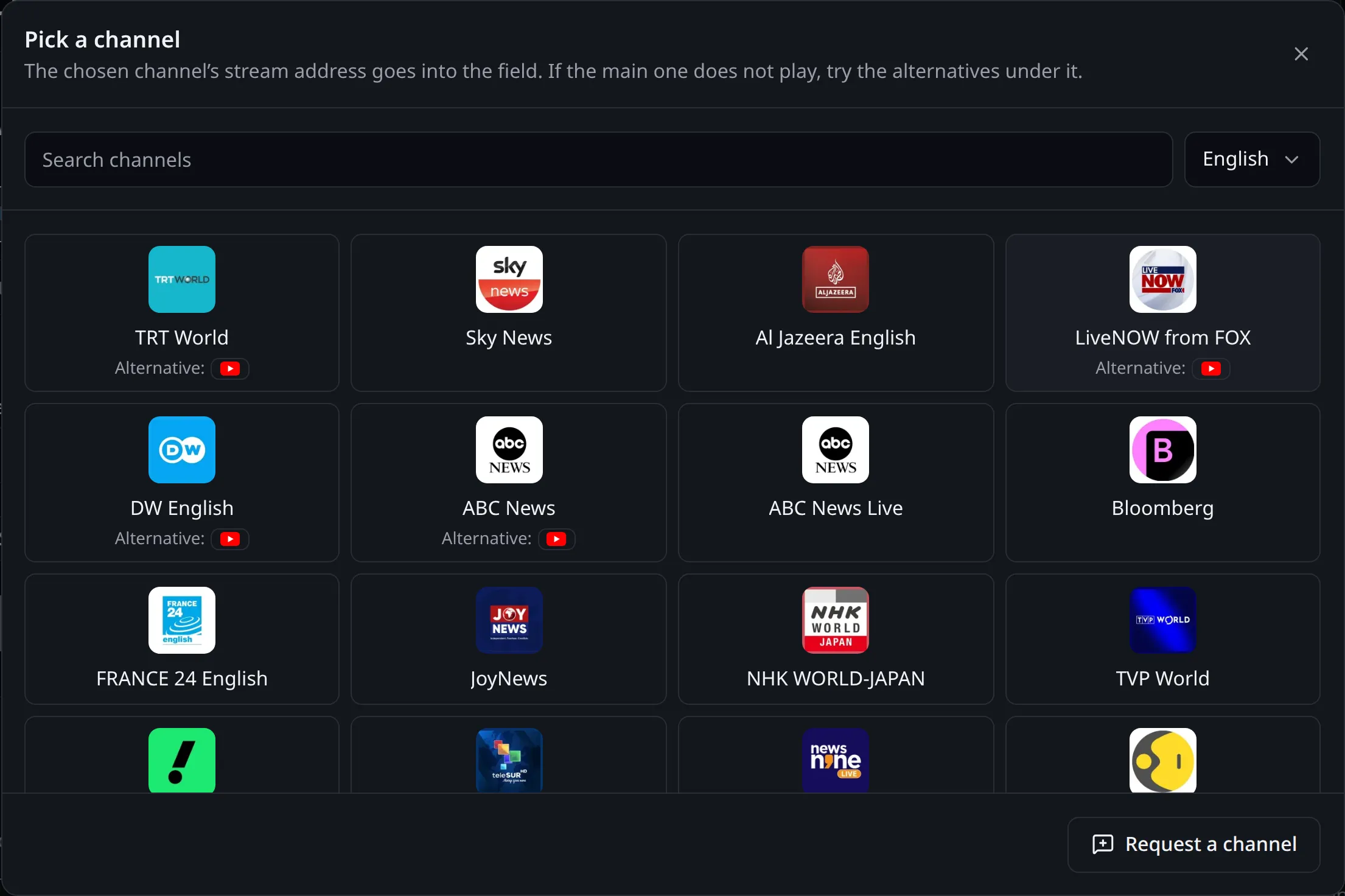
The list is kept in order behind the scenes. Every address is tested at intervals, and addresses that stop working are hidden. If a channel shows an alternative, try it when the main address does not play. If yours is missing, Request a channel in the same window sends it to the administrator.
Try it on your own recording
No card needed. 30 minutes of transcription on the free plan.
Using an m3u8 link
If your organisation has its own stream, or you have another stream you may watch, enter its m3u, m3u8 or direct audio address in the Link field. From there, television transcription takes these steps:
- Choose the language and press Continue. Tell speakers apart is under Settings and starts on.
- The stream starts playing at the top of the page.
- Press Start transcription.
If the stream allows it, no tab sharing is needed. That route also works in Firefox and Safari, and even on a phone, so it is worth trying your address here first.
In the newsroom
A minister’s press conference has started and you are writing another story. On such a day, broadcast transcription does these jobs:
- Quoting: The sentence stands in the text. Copy it instead of trying to remember the wording, with the paragraph’s time next to it.
- Following: One reporter starts the stream and the others watch the same text on their screens, correcting names. On a team plan, you share the transcript and everyone sees the others’ carets by name.
- News transcription for the bulletin: To find a statement from a bulletin later, search the text with the browser’s find on page.
- Keeping it: The transcript stays on the server as text only. How long depends on the plan, so download what you need as DOCX for your own archive.
Being able to edit while it transcribes is the real gain here. Fix a misheard institution during the broadcast, new text does not disturb your correction, and your quotes are ready when the broadcast ends.
When a stream refuses
Many channels do not let their audio be processed on other sites. LiveType warns you, and the broadcast can still be transcribed:
- Press Open the stream in a new tab and play it.
- Go back to the LiveType tab and press Start transcription.
- Choose the stream’s tab to share and turn on Also share tab audio.
This step needs a Chromium-based browser on a computer; the details are in sharing tab audio. Streams on an insecure http address do not play on the LiveType page either and open in their own tab. Some streams can only be watched from within one country.
Copyright when quoting
A transcription tool gives you no rights, only text. What is said on air, and the broadcast itself, belong to the rights holders.
- Credit the source of a quote and keep it within the limits of quotation.
- Get permission before publishing a broadcast’s full text elsewhere.
- Streams can have terms of use. If your organisation subscribes, those terms apply.
This is not legal advice. Check a quote against the broadcast itself before publishing: automatic text can go wrong when people talk over each other or over a theme tune.
What it leaves out
- It does not read the picture, on-screen text or tickers. It only writes the sound.
- It does not record the broadcast. You can read a moment you missed, but not listen to it later.
- The text runs a little behind the broadcast. How far depends on your device, and the transcript page shows it.
For live statements, see press conference coverage, for debates and council meetings parliament transcription, and for streams on platforms live stream transcription. To work through a long interview, read our interview transcription guide. Team sharing and time are on the pricing page.

Works in news, software and design; founder of LiveType. Worked as a reporter for many years. Has done SEO consulting, content editing and reporting for several online news sites, and has developed many pieces of software. Currently works in the press office of the Turkish Medical Association and provides SEO support to Elips Haber.
Related pages
Try it on your own recording
No card needed. 30 minutes of transcription on the free plan.