Live stream transcription: Read and edit the text while it airs
Author: Mert S. Kaplan · Last updated: November 4, 2026
Live stream transcription turns speech into text while the broadcast is still running, so you can quote a press conference before it ends instead of waiting for a recording. With LiveType you paste the stream’s link, words appear as they are spoken, and you correct them while more arrive. It runs in your browser with no bot joining and nothing to install.
What live stream transcription means
A file transcriber knows how every sentence ends. A live one does not: it starts writing mid-sentence and revises what it wrote as more audio comes in. That is why live text has two stages. Faint text is the engine’s current guess and can still change. Solid text came out the same in two passes in a row, goes into the editor, and is yours to change.
YouTube’s own live captions may be enough if you only want to follow along. According to YouTube Help they are currently English only, and they are removed when the stream ends, with new captions made from the recording. If you need to quote, correct or keep the words, you need a transcript.
Try it on your own recording
No card needed. 30 minutes of transcription on the free plan.
Which platforms work
LiveType takes the audio from a browser tab. The stream is not downloaded.
| Source | How it runs |
|---|---|
| YouTube, Twitch, Kick, Facebook | Plays on the transcript page and you share that tab’s audio |
| X, Dailymotion | Opens in its own tab and you share that tab (the same goes for YouTube streams that refuse embedding) |
| Any other web page | Open it in a tab and share the tab’s audio |
| TV channels, m3u8 links | Pick from the list or paste the link; if the stream allows it, no tab sharing is needed |
For a YouTube live stream you can use a single video’s address or the channel’s /@channel/live page. Sharing tab audio takes a Chromium-based browser such as Chrome or Edge on a computer; the steps are in sharing tab audio. Firefox, Safari and phones can only transcribe streams that allow their audio to be processed.
To start, paste the link under New transcript and press Continue, then Start transcription on the page that opens. When the browser asks, make sure Also share tab audio is on.
How far behind the speaker is the text?
That depends mostly on your device. Faint text appears right after the words, and the solid text a little later. We recommend a graphics card for live streams, where models M3 and M4 give the lowest delay. Without one, the text falls further behind. The transcript page shows the current delay, so you can see what your device manages.
If the engine cannot keep up, it does not skip audio; it falls behind. When the text is more than 10 seconds behind, LiveType suggests a smaller model, which runs faster and makes more mistakes. The choice is yours.
Realtime Whisper latency explains where the lag comes from.
Edit while it transcribes
Most tools hand you the text when the job is finished. Here each finished sentence lands in the editor straight away and you work on it during the stream: fix a misheard minister’s name, add a heading, bold the line you will quote. New text does not overwrite your edits, because the engine only writes to the paragraph it is on.
Names you correct also stay corrected, because the engine does not write over finished text. If the same name comes out wrong again later in the broadcast, fix it there too.
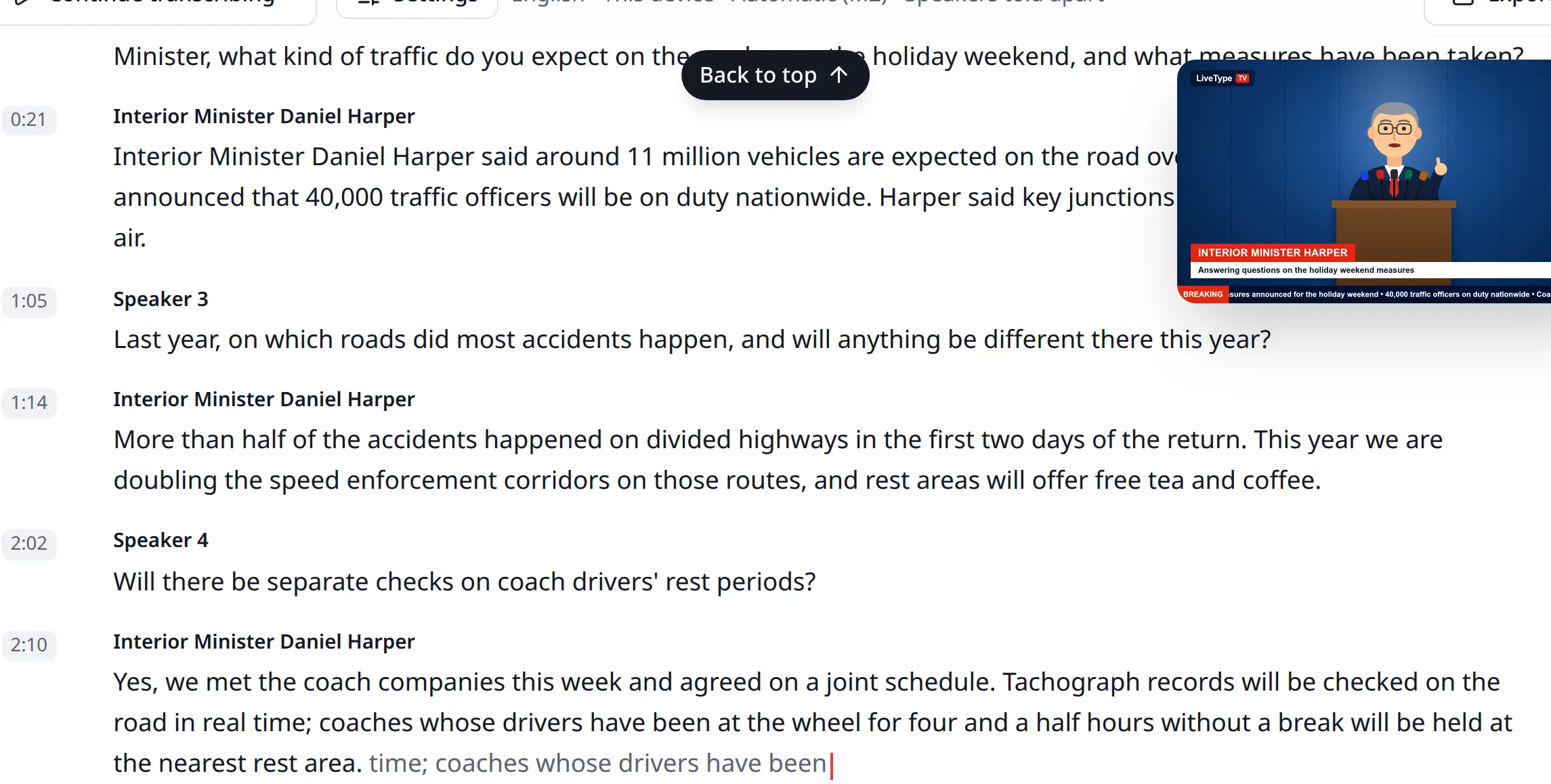
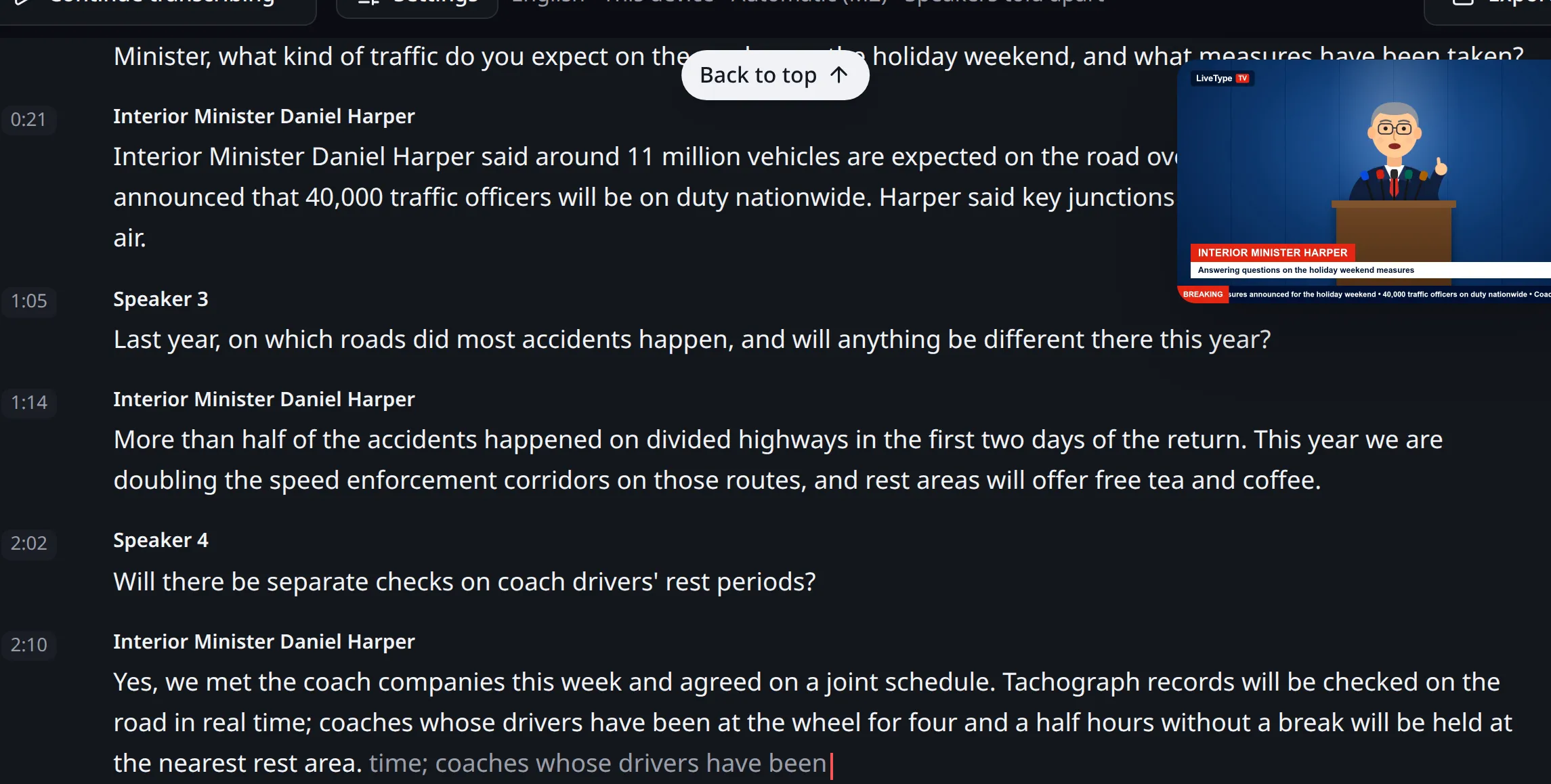
One live transcript for the whole team
In a newsroom, one person starts the stream and others correct the same text at the same time. Share the transcript with your team on a team plan: everyone sees the others’ carets by name, and the faint text reaches their screens too. One person can mark quotes while another checks names.
Turn on speaker separation and a new paragraph starts when the voice changes. Name a speaker once and the whole team sees it. See pricing for which plan includes team sharing.
Long broadcasts and limits
- The shared tab has to stay open and the stream has to keep playing. If it stops, transcription waits.
- We test the engine with three-hour unbroken runs, and what it keeps in memory does not grow. If the device runs short anyway, transcription goes on, sheds what it can and asks you to close other tabs.
- The text is saved to the server as you work, and you can go back to earlier versions.
- The free plan has 30 minutes in total, which will not cover a long broadcast.
- LiveType does not record or download the stream. The server keeps text, never audio (where your audio goes).
- It does not translate or summarise.
- Accuracy drops when people talk over each other or over music, so review anything before you publish it.
- Respect the broadcaster’s rights and quotation rules when you reuse what was said.
See how this differs from file-based tools on the comparison pages. If you are new, your first transcript walks through the whole flow.

Works in news, software and design; founder of LiveType. Worked as a reporter for many years. Has done SEO consulting, content editing and reporting for several online news sites, and has developed many pieces of software. Currently works in the press office of the Turkish Medical Association and provides SEO support to Elips Haber.
Related pages
Try it on your own recording
No card needed. 30 minutes of transcription on the free plan.